Which PRISMA 2020 Flow Diagram Template Do I Need?
PRISMA 2020 gives you four flow diagram templates, not one, and picking the wrong one is a common reason diagrams get flagged. They vary along two questions:
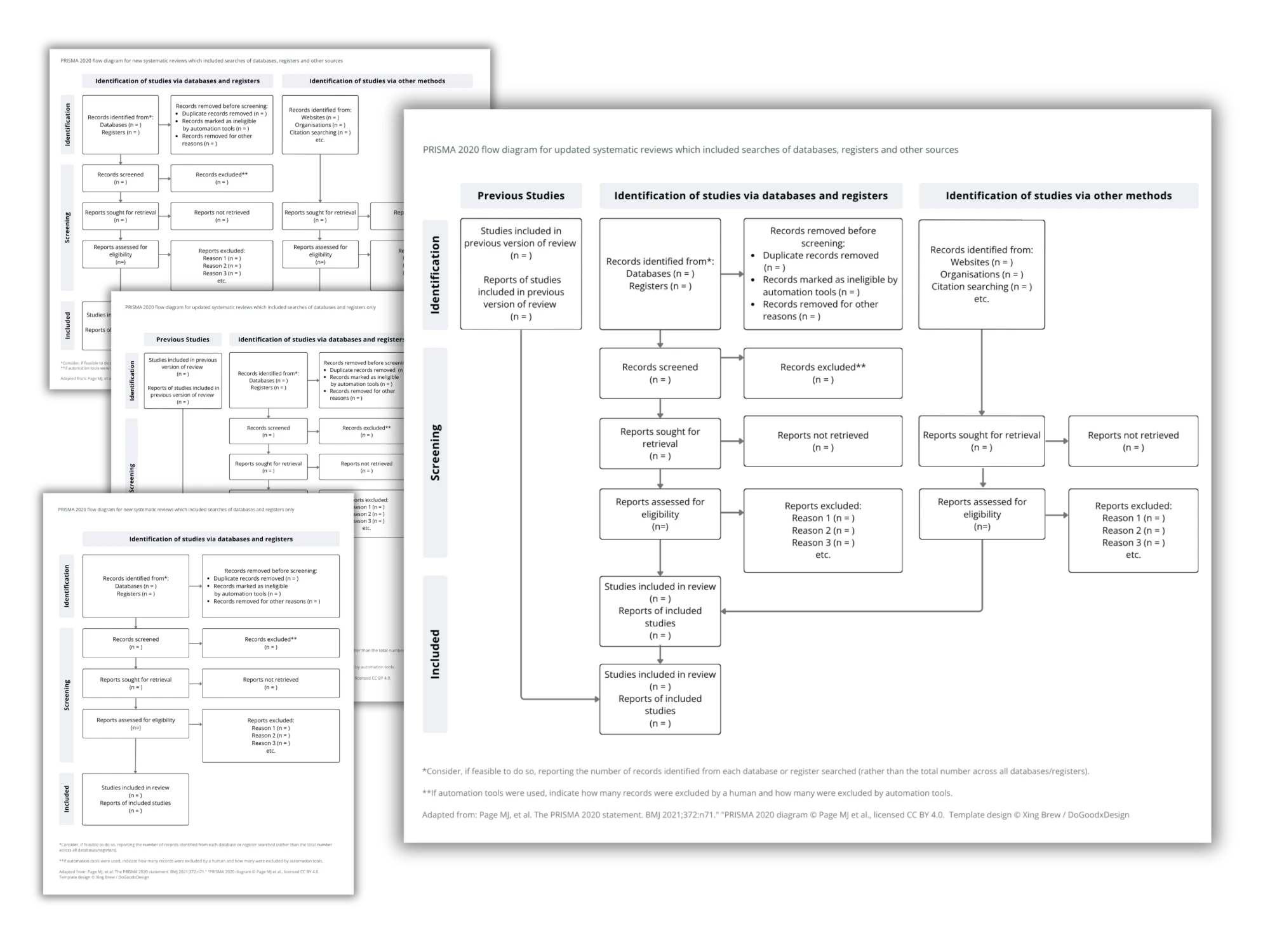
Question 1: Is your review new or an update?
A new review starts from scratch. An updated review carries forward studies from a previously published version — those get their own starting boxes.
Question 2: Did you search databases and registers only, or other sources too?
Databases and registers only (PubMed, Embase, trial registries) → the simpler template. If you also did citation searching, grey literature, website searches, or contacted authors → the wider template with extra boxes on the right side.
| Your review | Sources | Template you need |
|---|---|---|
| New | Databases + registers only | PRISMA 2020 for new reviews, version 1 |
| New | Plus other sources | PRISMA 2020 for new reviews, version 2 |
| Updated | Databases + registers only | PRISMA 2020 for updated reviews, version 1 |
| Updated | Plus other sources | PRISMA 2020 for updated reviews, version 2 |
The counting rule people get wrong
The diagram counts reports and studies separately — several reports can describe one study, so those totals aren't always equal. Track both from the start of screening, or you'll be reconstructing numbers at the write-up stage.
Editable templates that don't look like the default
The official templates are free Word files, and they look like it. My editable PRISMA flow diagram templates are designed PowerPoint and Canva files — restyle them to match your thesis or journal formatting, and they drop cleanly into posters, slides, and appendices. (For the record: the official templates are CC-BY licensed, so restyling them is explicitly allowed — just cite the source.)
Buy the templates (opens in a new tab)
Also see: CONSORT flow diagram template for trial reports, and my done-for-you poster design.